Geospatial Agent
An AI agent for querying and exploring maps through chat
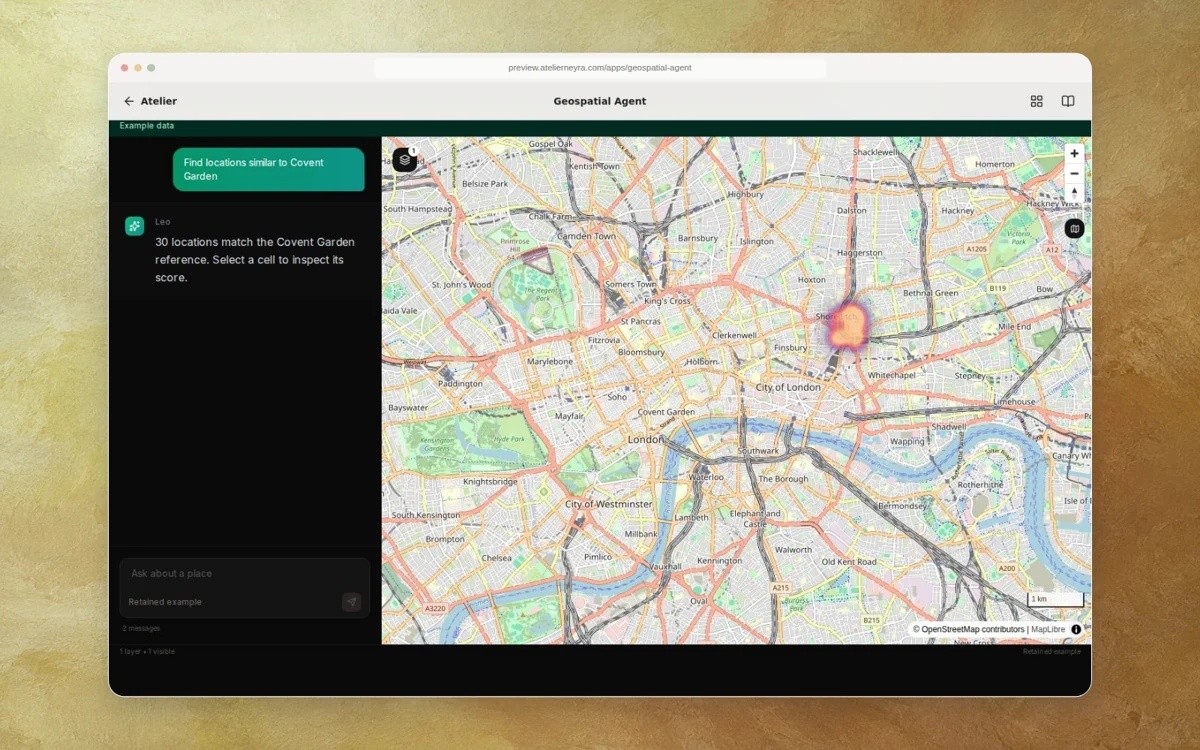
Geospatial Agent is a chat-based workspace for querying geographic data and building interactive map layers. It combines agent tools, Overture data, H3 grids and a deck.gl canvas for examining places, buildings, roads and land use.
Who it helps
Analysts exploring where to locate a business or understand the physical context of a place.
The problem
Geospatial questions span many datasets, sources and scales, making it hard to connect an analytical question to inspectable map evidence.
What it needs
- Express a location question in ordinary language.
- Inspect the plan, progress and map layers alongside the conversation.
- Connect data sources and model providers under the operator’s own accounts.
What it does
Chat and streamed progress
Source includes chat, process steps, plan and thought panels driven by streamed backend events.
Map layers
Next.js, deck.gl and Mapbox components display and control geographic layers.
Geospatial tools
Backend source includes Overture, demographics, agriculture, climate, routes, news and other tool adapters; each requires its own data and runtime validation.
Similarity mode
The source provides a location-selection mode that sends an H3 similarity query and renders returned layers.
How it works
- Ask a geographic question
- Inspect the proposed plan and streamed progress
- Review map layers and results
- Select a location for a separate similarity search
Design decisions
- Keep the conversation, plan and map layers in one workspace.
- Stream tool and map events to the frontend as the analysis progresses.
- Use separate cascade chat and location-similarity modes in the recovered interface.
Current state
The recovered Next.js and deck.gl console builds with TypeScript and lint checks passing. Its hosted example shows a computed synthetic retail comparison through the original map renderer. Connect your own model, data and provider accounts to run fresh agent work.
Continue the project
Explore the synthetic example and configure your own providers for live analysis.