
First result
The first result is an interactive catalogue and order workspace. It runs locally with synthetic business records, the original illustrations and the original component system.
Install and open
Install Node 22.12+ and npm, then run from the repository root:
make install-ui
make dev-ui
Open http://127.0.0.1:8080/app.html. The component gallery is at /; scenario examples are at /scenarios.html. The workspace entry loads app/src/prototypes/cedar/main.tsx.
Choose a sample business. The Spain/fish workspace supplies the catalogue illustrated in this repository: Merluza, Pulpo and Lubina de estero. Business capabilities determine which pricing, inventory and country-specific money surfaces appear.
Review a catalogue
Open Products and its catalogue intake. Paste a small list with names, codes and units, using the native paste door:
Code	Name	Unit
DEMO-001	Merluza	kg
DEMO-002	Pulpo	kg
DEMO-003	Lubina de estero	kg
Inspect the parsed names, codes and units, correct any row, review it and use Add. Review is a business operation: a parsed string becomes a catalogue record only after the operator accepts the intended identity.
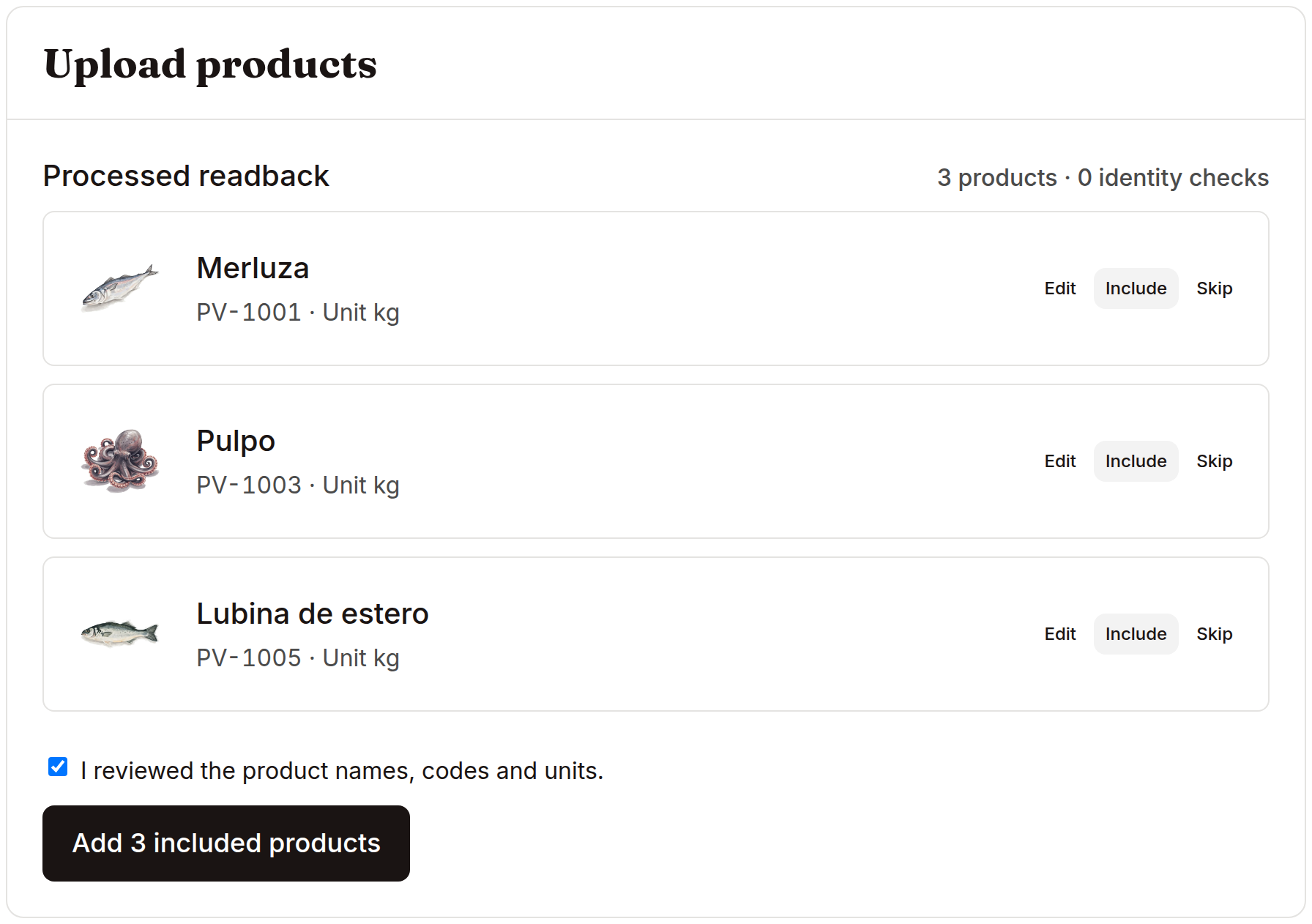
The documented capture uses the three existing source-fixture codes and stops with Add ready. The example above gives a new local catalogue its own demo codes. The capture proves the actual review surface; it does not claim a provider extraction or submitted import.
Follow a product into an order
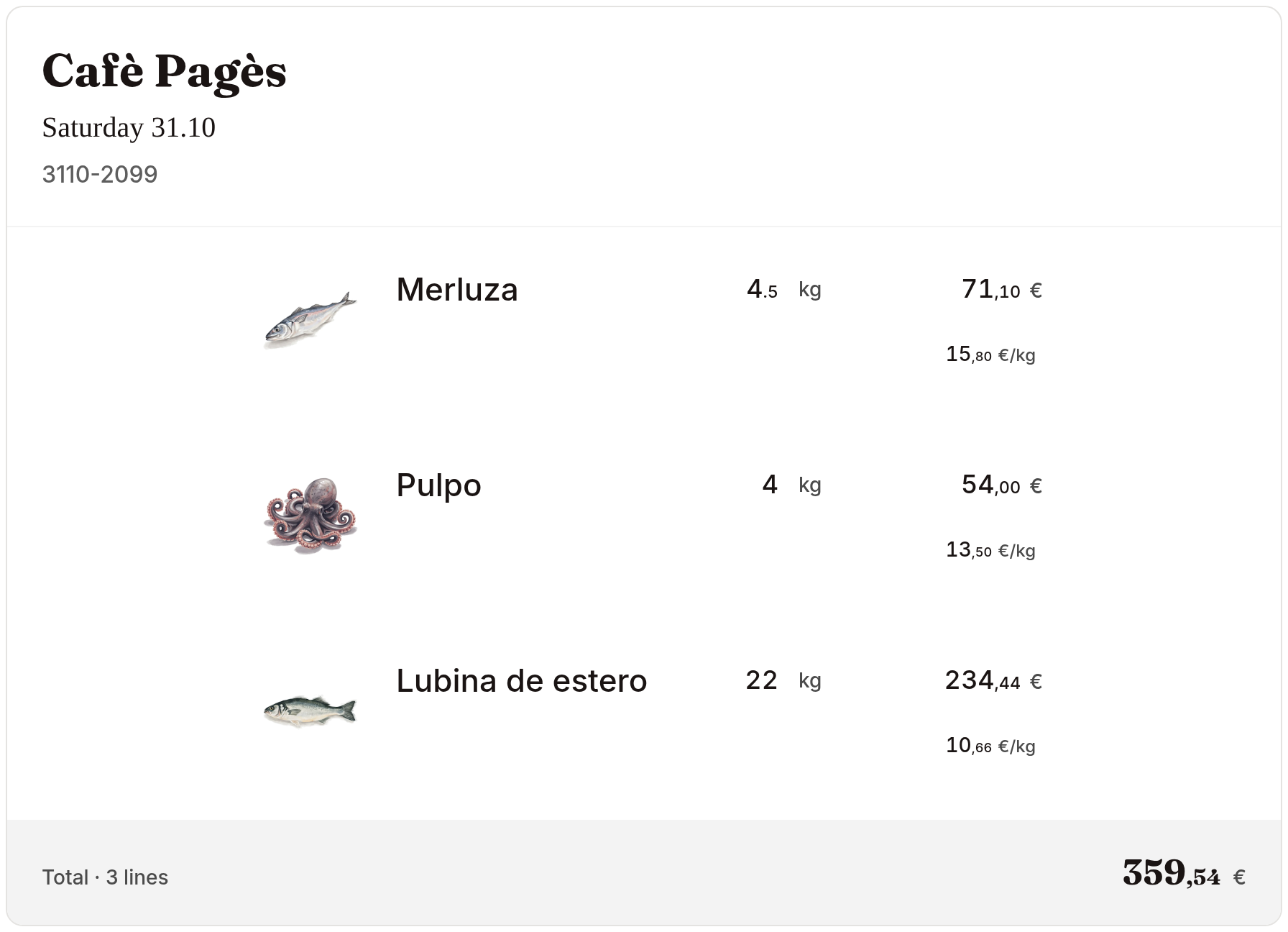
Open Sales and an existing order. The product’s identity, unit, quantity and price carry into its delivery document. Explore the product sheet, stock/lot surfaces and output templates from those same records. Workflows explains the relationships and their source paths.
Understand what persists
Cedar’s selected business, edits and workflow state use its existing browser stores on this origin. A reload reads that local workspace. Browser-origin changes and storage resets create a separate state boundary. This is the interactive product prototype.
The maintained FastAPI/PostgreSQL backend has a separate persistent data model, authentication and scoped runtime. Run its first order proof before building a connection between the two. That distinction preserves both the original design and a testable application architecture.
Add optional services
make install installs Python dependencies in .venv. make dev starts the checkout-owned prototype API and the UI on loopback ports, printing their addresses. Its health route reports configured/missing providers from environment presence.
Use provider setup for your own parsing, speech, model or artwork account. The static workspace and first backend proof work with synthetic data independently of those accounts.
make build produces the English workspace and its generated Spanish entry from the same source. Build receipts retain upstream provenance and identify a Git checkout or portable source export accurately.